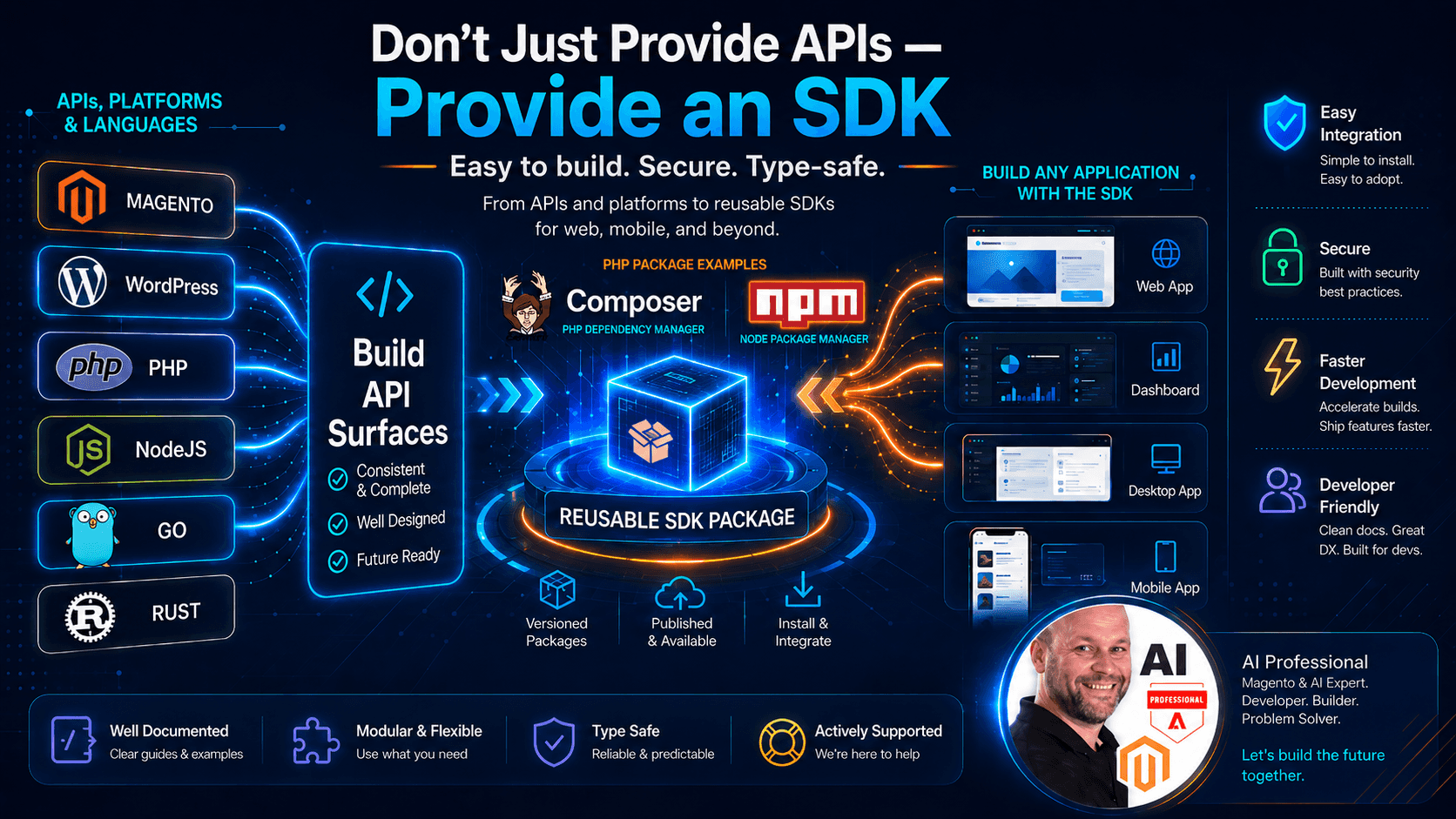
Don’t Just Provide APIs — Provide an SDK
When I started building my headless blog system, the first natural step was to expose the content through APIs.
That part makes sense.
A headless system needs APIs. The website, mobile app, dashboard, AI agents, automation tools, or third-party services all need a clean way to request data and perform actions. APIs are the foundation.
But after building and using APIs for a while, I started to see another important layer.
Providing APIs is not always enough.
If I want developers to integrate faster, make fewer mistakes, and enjoy using the system, I should not only provide raw API endpoints. I should also provide an SDK.
An SDK does not replace the API. It makes the API easier, safer, and more productive to use.
For example, instead of asking every developer to write this again and again:
const response = await fetch("https://api.example.com/posts?siteId=dietconfetti", {
  headers: {
    Authorization: `Bearer ${process.env.API_KEY}`,
  },
});

if (!response.ok) {
  throw new Error("Failed to fetch posts");
}

const posts = await response.json();
I can provide a much cleaner developer experience:
import { BlogClient } from "@my-blog/sdk";

const blog = new BlogClient({
  apiKey: process.env.BLOG_API_KEY!,
  siteId: "dietconfetti",
});

const posts = await blog.posts.list();
Both examples use the same API behind the scenes.
But the second one is easier to read, easier to maintain, easier to document, and much harder to use incorrectly.
That is why I think a serious SaaS platform should provide both: APIs for flexibility and SDKs for developer experience.
1. npm account and package scope
The first practical requirement is an npm account.
If I want developers to install my SDK like this:
npm install @headless-blog/sdk
then I need to publish a package to npm.
The @headless-blog part is called a scope. The sdk part is the package name.
So the full package name is:
@headless-blog/sdk
This kind of package name is good because it gives me a clean namespace.
Later, I could also publish:
@headless-blog/react
@headless-blog/next
@headless-blog/cli
This makes the ecosystem more professional and easier to organize.
A scoped package is especially useful when I am building a SaaS product because it protects the brand structure. Instead of publishing a random package name like:
headless-blog-sdk
I can create a package family under one clear namespace:
@headless-blog/*
Before publishing, I need to log in:
npm login
Then I can publish the package:
npm publish --access public
For public scoped packages, --access public is important.
The package scope is not just a technical detail. It is part of the product identity. When a developer sees:
npm install @headless-blog/sdk
it feels official, maintained, and connected to the platform.
2. SDK package code
The main job of the SDK is to wrap the API into a simple developer-friendly interface.
The raw API might look like this:
GET /api/posts?siteId=dietconfetti&limit=10
But in the SDK, I want the developer to write this:
const posts = await blog.posts.list({ limit: 10 });
This is the difference between exposing infrastructure and providing a developer tool.
A simple SDK client could start like this:
export type BlogClientOptions = {
  baseUrl: string;
  apiKey: string;
  siteId: string;
};

export class BlogClient {
  private baseUrl: string;
  private apiKey: string;
  private siteId: string;

  constructor(options: BlogClientOptions) {
    this.baseUrl = options.baseUrl;
    this.apiKey = options.apiKey;
    this.siteId = options.siteId;
  }

  async request<T>(path: string, options: RequestInit = {}): Promise<T> {
    const url = new URL(`${this.baseUrl}${path}`);

    url.searchParams.set("siteId", this.siteId);

    const response = await fetch(url.toString(), {
      ...options,
      headers: {
        Authorization: `Bearer ${this.apiKey}`,
        "Content-Type": "application/json",
        ...options.headers,
      },
    });

    if (!response.ok) {
      throw new Error(`API request failed with status ${response.status}`);
    }

    return response.json() as Promise<T>;
  }
}
Then I can add specific modules.
For posts:
export type BlogPost = {
  id: string;
  title: string;
  slug: string;
  excerpt?: string;
  content?: string;
  featuredImageUrl?: string;
  publishedAt?: string;
};

export type ListPostsParams = {
  limit?: number;
  page?: number;
  categorySlug?: string;
};

export class PostsResource {
  constructor(private client: BlogClient) {}

  async list(params: ListPostsParams = {}) {
    const query = new URLSearchParams();

    if (params.limit) query.set("limit", String(params.limit));
    if (params.page) query.set("page", String(params.page));
    if (params.categorySlug) query.set("categorySlug", params.categorySlug);

    return this.client.request<BlogPost[]>(`/posts?${query.toString()}`);
  }

  async getBySlug(slug: string) {
    return this.client.request<BlogPost>(`/posts/${slug}`);
  }
}
Then the main client can expose it:
export class BlogClient {
  public posts: PostsResource;

  constructor(private options: BlogClientOptions) {
    this.posts = new PostsResource(this);
  }

  async request<T>(path: string, options: RequestInit = {}): Promise<T> {
    // request logic here
  }
}
Now developers get a much cleaner API:
const posts = await blog.posts.list({
  limit: 10,
  categorySlug: "recipes",
});

const post = await blog.posts.getBySlug("sunday-peach-pie");
This is already much better than asking every user to manually build URLs.
3. Package structure
A good SDK should have a simple and predictable structure.
For a TypeScript SDK, I would start with something like this:
headless-blog-sdk/
  src/
    index.ts
    client.ts
    resources/
      posts.ts
      categories.ts
      tags.ts
      media.ts
    errors.ts
    types.ts
  package.json
  tsconfig.json
  README.md
  LICENSE
The structure should be boring in a good way.
Developers should be able to open the repository and immediately understand what is happening.
The index.ts file is the public entry point:
export { BlogClient } from "./client";

export type {
  BlogClientOptions,
  BlogPost,
  BlogCategory,
  BlogTag,
} from "./types";

export { BlogApiError } from "./errors";
The client.ts file contains the main SDK class.
import { PostsResource } from "./resources/posts";
import { CategoriesResource } from "./resources/categories";
import { BlogApiError } from "./errors";

export type BlogClientOptions = {
  apiKey: string;
  siteId: string;
  baseUrl?: string;
};

export class BlogClient {
  public posts: PostsResource;
  public categories: CategoriesResource;

  private apiKey: string;
  private siteId: string;
  private baseUrl: string;

  constructor(options: BlogClientOptions) {
    this.apiKey = options.apiKey;
    this.siteId = options.siteId;
    this.baseUrl = options.baseUrl ?? "https://api.headless.blog";

    this.posts = new PostsResource(this);
    this.categories = new CategoriesResource(this);
  }

  async request<T>(path: string, options: RequestInit = {}): Promise<T> {
    const url = new URL(`${this.baseUrl}${path}`);

    url.searchParams.set("siteId", this.siteId);

    const response = await fetch(url.toString(), {
      ...options,
      headers: {
        Authorization: `Bearer ${this.apiKey}`,
        "Content-Type": "application/json",
        ...options.headers,
      },
    });

    const data = await response.json().catch(() => null);

    if (!response.ok) {
      throw new BlogApiError({
        message: data?.message ?? "Headless Blog API request failed",
        statusCode: response.status,
        code: data?.code,
      });
    }

    return data as T;
  }
}
The resources folder keeps the SDK modular.
For example:
export class CategoriesResource {
  constructor(private client: BlogClient) {}

  async list() {
    return this.client.request<BlogCategory[]>("/categories");
  }

  async getBySlug(slug: string) {
    return this.client.request<BlogCategory>(`/categories/${slug}`);
  }
}
This structure allows the SDK to grow without becoming messy.
4. Build system
If I publish a TypeScript SDK, I do not want to publish only raw TypeScript files.
I want to build it properly.
The package should support modern JavaScript imports:
import { BlogClient } from "@headless-blog/sdk";
And ideally also support CommonJS when needed:
const { BlogClient } = require("@headless-blog/sdk");
For this, I can use a build tool like tsup.
Install the build tools:
npm install -D typescript tsup
A simple tsconfig.json:
{
  "compilerOptions": {
    "target": "ES2020",
    "module": "ESNext",
    "moduleResolution": "Bundler",
    "strict": true,
    "declaration": true,
    "outDir": "dist",
    "skipLibCheck": true
  },
  "include": ["src"]
}
Then in package.json:
{
  "scripts": {
    "build": "tsup src/index.ts --format esm,cjs --dts",
    "prepublishOnly": "npm run build"
  }
}
This creates:
dist/index.js
dist/index.cjs
dist/index.d.ts
The .d.ts file is important because it gives TypeScript users autocomplete and type safety.
The package exports can look like this:
{
  "main": "./dist/index.cjs",
  "module": "./dist/index.js",
  "types": "./dist/index.d.ts",
  "exports": {
    ".": {
      "types": "./dist/index.d.ts",
      "import": "./dist/index.js",
      "require": "./dist/index.cjs"
    }
  }
}
This makes the package easier to consume in different environments.
For a SaaS product, this matters because developers may use Next.js, Node.js, Astro, Remix, Nuxt, custom servers, scripts, or other build systems.
The SDK should not force them into one environment.
5. Authentication design
Authentication is one of the biggest reasons an SDK is useful.
With raw APIs, every developer has to understand how to authenticate.
They need to know:
Which header should I use?
Do I need Bearer tokens?
Do I need a site ID?
Do tokens expire?
How do I refresh them?
Should this run server-side only?
An SDK can hide much of that complexity.
For a blog SaaS, I would probably start with API keys.
Example:
const blog = new BlogClient({
  apiKey: process.env.HEADLESS_BLOG_API_KEY!,
  siteId: "dietconfetti",
});
Then the SDK handles the headers internally:
headers: {
  Authorization: `Bearer ${this.apiKey}`,
  "Content-Type": "application/json",
}
This is better than forcing the user to write this manually every time.
A simple authenticated request method:
private getHeaders(extraHeaders?: HeadersInit): HeadersInit {
  return {
    Authorization: `Bearer ${this.apiKey}`,
    "Content-Type": "application/json",
    ...extraHeaders,
  };
}
Then every request uses the same logic:
const response = await fetch(url.toString(), {
  ...options,
  headers: this.getHeaders(options.headers),
});
Later, the SDK could support more advanced authentication:
const blog = new BlogClient({
  clientId: process.env.CLIENT_ID!,
  clientSecret: process.env.CLIENT_SECRET!,
});
Or:
const blog = new BlogClient({
  accessToken: session.user.accessToken,
});
But for the first version, I would keep it simple.
For my use case, I would prefer:
One API key per website
One site ID per website
Server-side usage by default
That gives security and simplicity.
I would not encourage exposing private API keys in client-side JavaScript.
For Next.js, I would document usage like this:
// app/blog/page.tsx

import { BlogClient } from "@headless-blog/sdk";

const blog = new BlogClient({
  apiKey: process.env.HEADLESS_BLOG_API_KEY!,
  siteId: "dietconfetti",
});

export default async function BlogPage() {
  const posts = await blog.posts.list();

  return (
    <main>
      {posts.map((post) => (
        <article key={post.id}>
          <h2>{post.title}</h2>
          <p>{post.excerpt}</p>
        </article>
      ))}
    </main>
  );
}
This keeps the API key on the server.
6. Error handling
Error handling is another major benefit of an SDK.
Raw API errors are often inconsistent from the user’s perspective.
A developer may get:
401 Unauthorized
403 Forbidden
404 Not Found
500 Internal Server Error
But without a clean SDK error class, they may not know what to do with it.
I can create a custom error:
export class BlogApiError extends Error {
  public statusCode?: number;
  public code?: string;
  public details?: unknown;

  constructor(options: {
    message: string;
    statusCode?: number;
    code?: string;
    details?: unknown;
  }) {
    super(options.message);

    this.name = "BlogApiError";
    this.statusCode = options.statusCode;
    this.code = options.code;
    this.details = options.details;
  }
}
Then in the request method:
if (!response.ok) {
  throw new BlogApiError({
    message: data?.message ?? "API request failed",
    statusCode: response.status,
    code: data?.code,
    details: data,
  });
}
Now developers can handle errors cleanly:
try {
  const post = await blog.posts.getBySlug("missing-post");
} catch (error) {
  if (error instanceof BlogApiError) {
    if (error.statusCode === 404) {
      console.log("Post not found");
    }

    if (error.statusCode === 401) {
      console.log("Invalid API key");
    }
  }

  throw error;
}
This is much better than:
if (!response.ok) {
  // What happened?
}
The SDK can also add helper messages.
For example:
if (response.status === 401) {
  throw new BlogApiError({
    message: "Invalid API key. Please check your HEADLESS_BLOG_API_KEY.",
    statusCode: 401,
    code: "AUTH_INVALID_API_KEY",
  });
}
This saves time for developers and reduces support requests.
Good error handling is not only a technical feature. It is part of developer experience.
7. README and npm package page
The npm package page is usually generated mostly from the README.
That means the README is not just documentation. It is also the package landing page.
When a developer opens the npm package, they should immediately understand:
What is this package?
How do I install it?
How do I authenticate?
How do I fetch posts?
How do I use it with Next.js?
Where are the full docs?
A strong README should start simple:
# Headless Blog SDK

Official TypeScript SDK for the Headless Blog API.

## Installation

```bash
npm install @headless-blog/sdk
Quick start
import { BlogClient } from "@headless-blog/sdk";

const blog = new BlogClient({
  apiKey: process.env.HEADLESS_BLOG_API_KEY!,
  siteId: "my-site",
});

const posts = await blog.posts.list();
Then I would add a Next.js example:

```md
## Next.js example

```tsx
import { BlogClient } from "@headless-blog/sdk";

const blog = new BlogClient({
  apiKey: process.env.HEADLESS_BLOG_API_KEY!,
  siteId: "dietconfetti",
});

export default async function Page() {
  const posts = await blog.posts.list();

  return (
    <main>
      {posts.map((post) => (
        <article key={post.id}>
          <h2>{post.title}</h2>
          <p>{post.excerpt}</p>
        </article>
      ))}
    </main>
  );
}
I would also include an API reference:

```md
## Posts

### list()

Fetch published posts.

```ts
const posts = await blog.posts.list({
  limit: 10,
  page: 1,
});
getBySlug()
Fetch a single post by slug.
const post = await blog.posts.getBySlug("my-first-post");
A good README reduces friction.

It also communicates that the package is maintained, intentional, and ready for real use.

The `package.json` also helps populate the npm page:

```json
{
  "name": "@headless-blog/sdk",
  "version": "0.1.0",
  "description": "Official TypeScript SDK for the Headless Blog API.",
  "keywords": [
    "headless-cms",
    "blog",
    "cms",
    "sdk",
    "typescript",
    "nextjs",
    "api"
  ],
  "homepage": "https://headless.blog",
  "repository": {
    "type": "git",
    "url": "https://github.com/headless-blog/sdk"
  },
  "license": "MIT"
}
The README sells the integration.
The SDK delivers the integration.
Both matter.
8. Publishing to npm
Before publishing, I want to make sure the package contains only what it should contain.
The safest command is:
npm pack --dry-run
This shows what will be included in the published package.
I do not want to accidentally publish:
.env
.env.local
node_modules
test output
private scripts
internal notes
large unused files
In package.json, I can control the published files:
{
  "files": [
    "dist",
    "README.md",
    "LICENSE"
  ]
}
Then the publishing flow is simple:
npm install
npm run build
npm pack --dry-run
npm publish --access public
For the first version, I would publish as:
{
  "version": "0.1.0"
}
Why 0.1.0?
Because the SDK is still early.
I can improve the API design before declaring it stable.
A typical versioning path could be:
0.1.0 - first public test version
0.2.0 - add more resources
0.3.0 - improve error handling and docs
1.0.0 - stable public SDK
When I fix a bug:
npm version patch
npm publish
When I add a new feature without breaking existing code:
npm version minor
npm publish
When I introduce a breaking change:
npm version major
npm publish
Versioning is important because developers build on top of the SDK.
If I break the SDK unexpectedly, I break their projects.
So the SDK needs discipline.
9. Security requirements
Security is one of the strongest reasons to provide an SDK.
If every developer writes their own API calls, they may accidentally:
Expose API keys in the browser
Forget authentication headers
Retry unsafe requests incorrectly
Ignore rate limits
Log sensitive data
Handle errors badly
The SDK can guide them toward safer patterns.
For example, I can document server-side usage:
const blog = new BlogClient({
  apiKey: process.env.HEADLESS_BLOG_API_KEY!,
  siteId: "dietconfetti",
});
And warn against this:
const blog = new BlogClient({
  apiKey: "publicly-visible-secret-key",
  siteId: "dietconfetti",
});
The SDK can also validate configuration:
constructor(options: BlogClientOptions) {
  if (!options.apiKey) {
    throw new Error("BlogClient requires an apiKey.");
  }

  if (!options.siteId) {
    throw new Error("BlogClient requires a siteId.");
  }

  this.apiKey = options.apiKey;
  this.siteId = options.siteId;
}
This catches mistakes early.
I can also add safe defaults:
this.baseUrl = options.baseUrl ?? "https://api.headless.blog";
For publishing security, I should also protect the npm account.
That means:
Use two-factor authentication
Avoid publishing from random local environments
Avoid long-lived tokens where possible
Use CI/CD publishing later
Use npm provenance if available
A package is part of the software supply chain.
If someone compromises the npm package, they compromise every project that installs it.
So publishing security matters as much as API security.
10. GitHub Actions publishing
At the beginning, manual publishing is okay.
But later, I would prefer automated publishing from GitHub Actions.
This gives me a more repeatable and safer release process.
A basic workflow can run:
Install dependencies
Run tests
Build package
Publish to npm
Example:
name: Publish SDK

on:
  release:
    types: [published]

permissions:
  contents: read
  id-token: write

jobs:
  publish:
    runs-on: ubuntu-latest

    steps:
      - name: Checkout repository
        uses: actions/checkout@v4

      - name: Setup Node.js
        uses: actions/setup-node@v4
        with:
          node-version: 22
          registry-url: "https://registry.npmjs.org"

      - name: Install dependencies
        run: npm ci

      - name: Build SDK
        run: npm run build

      - name: Run tests
        run: npm test

      - name: Publish package
        run: npm publish --access public --provenance
I would not start here immediately if the SDK is still experimental.
First, I would publish manually a few times and make sure the package design is correct.
Then I would automate.
The release process should become boring and predictable.
That is a good thing.
A release should not feel like a risky event.
It should feel like:
Code reviewed
Tests passed
Build passed
Release created
Package published
11. More packages later
The first package should be the core SDK.
For example:
@headless-blog/sdk
This package should work in normal TypeScript and Node.js environments.
But later, I may want to create framework-specific packages.
For React:
@headless-blog/react
This could provide hooks:
const { posts, loading, error } = usePosts({
  categorySlug: "recipes",
});
For Next.js:
@headless-blog/next
This could provide helpers optimized for server components, metadata, routing, and static generation:
import { getBlogPostBySlug } from "@headless-blog/next";

export async function generateMetadata({ params }) {
  const post = await getBlogPostBySlug(params.slug);

  return {
    title: post.metaTitle,
    description: post.metaDescription,
  };
}
For a CLI:
@headless-blog/cli
This could support commands like:
headless-blog sync
headless-blog generate-types
headless-blog validate-config
But I would not start with all of these.
That would be too much too early.
The best path is:
First: core SDK
Then: documentation
Then: examples
Then: Next.js helper package
Then: React hooks
Then: CLI
The SDK should be the stable foundation.
Everything else can build on top of it.
12. Minimum launch checklist
For the first public SDK version, I would keep the checklist practical.
I need:
npm account
npm package scope
GitHub repository
TypeScript source code
package.json
README.md
LICENSE
Build system
Type definitions
Basic tests
Publishing command
Documentation page
A minimal but good package.json could look like this:
{
  "name": "@headless-blog/sdk",
  "version": "0.1.0",
  "description": "Official TypeScript SDK for the Headless Blog API.",
  "type": "module",
  "main": "./dist/index.cjs",
  "module": "./dist/index.js",
  "types": "./dist/index.d.ts",
  "exports": {
    ".": {
      "types": "./dist/index.d.ts",
      "import": "./dist/index.js",
      "require": "./dist/index.cjs"
    }
  },
  "files": [
    "dist",
    "README.md",
    "LICENSE"
  ],
  "scripts": {
    "build": "tsup src/index.ts --format esm,cjs --dts",
    "test": "vitest",
    "prepublishOnly": "npm run build && npm test"
  },
  "keywords": [
    "headless-cms",
    "blog",
    "cms",
    "sdk",
    "typescript",
    "nextjs"
  ],
  "license": "MIT",
  "devDependencies": {
    "tsup": "latest",
    "typescript": "latest",
    "vitest": "latest"
  }
}
A minimal test could be:
import { describe, expect, it } from "vitest";
import { BlogClient } from "../src";

describe("BlogClient", () => {
  it("creates a client", () => {
    const client = new BlogClient({
      apiKey: "test-key",
      siteId: "test-site",
    });

    expect(client).toBeDefined();
    expect(client.posts).toBeDefined();
  });
});
I would also create an example folder:
examples/
  nextjs-app-router/
  node-script/
A Node example:
import { BlogClient } from "@headless-blog/sdk";

const blog = new BlogClient({
  apiKey: process.env.HEADLESS_BLOG_API_KEY!,
  siteId: "dietconfetti",
});

const posts = await blog.posts.list({ limit: 5 });

console.log(posts);
A Next.js example:
import { BlogClient } from "@headless-blog/sdk";

const blog = new BlogClient({
  apiKey: process.env.HEADLESS_BLOG_API_KEY!,
  siteId: "dietconfetti",
});

export default async function BlogPage() {
  const posts = await blog.posts.list({ limit: 10 });

  return (
    <main>
      <h1>Blog</h1>

      {posts.map((post) => (
        <article key={post.id}>
          <h2>{post.title}</h2>
          <p>{post.excerpt}</p>
        </article>
      ))}
    </main>
  );
}
The goal of version one is not to support everything.
The goal is to make the most common integration path very easy.
API versus SDK: why I do not think this is really a “versus” question
It is tempting to frame this as:
API versus SDK
But I do not think that is the right way to look at it.
For me, it is not API versus SDK.
It is API plus SDK.
The API is the foundation.
The SDK is the developer experience layer.
Without the API, the SDK has nothing to call.
Without the SDK, the API may still work, but every developer has to solve the same problems manually:
How do I authenticate?
How do I build the request URL?
How do I handle errors?
What are the response types?
What happens if the API changes?
How do I integrate this with my framework?
The API gives power and flexibility.
The SDK gives speed, safety, and consistency.
A raw API is ideal when developers need full control.
An SDK is ideal when developers want to build faster and avoid repeated boilerplate.
For example, this raw API call is still useful:
const response = await fetch("https://api.headless.blog/posts?siteId=dietconfetti", {
  headers: {
    Authorization: `Bearer ${process.env.HEADLESS_BLOG_API_KEY}`,
  },
});

const posts = await response.json();
But this SDK call is better for most product integrations:
const posts = await blog.posts.list({
  limit: 10,
  categorySlug: "recipes",
});
The API is still there.
The SDK simply makes it easier to use correctly.
That is why I think SaaS platforms should provide both.
A good API makes the system possible.
A good SDK makes the system pleasant to use.
And in developer tools, pleasant matters.
Because when integration is easy, developers move faster.
When developers move faster, adoption improves.
And when adoption improves, the platform becomes more valuable.
So the question is not:
Should I provide APIs or an SDK?
The better question is:
How can I design my APIs so they are powerful, and then provide SDKs so developers can use that power easily and safely?
That is the direction I want to build toward.
Not just raw endpoints.
Not just documentation.
But a full developer experience:
Clean APIs
Official SDK
Strong TypeScript support
Good examples
Secure defaults
Helpful errors
Framework integrations
Clear documentation
That is how a headless blog platform becomes easier to adopt, easier to trust, and easier to build with.